
Related Articles


A car is no longer just a machine that takes us from one place to another. Modern vehicles have become more connected, comfortable and technology focused. One of the biggest changes I have noticed in recent years is the improvement of car infotainment systems. What was once a simple radio and CD player has now become an important part of the driving experience.
A modern infotainment system can provide navigation, music, hands free calling, smartphone connectivity, vehicle information and even access to different apps. In my opinion, a good infotainment system can make everyday driving much easier, especially when you spend a lot of time on the road.
However, choosing the right system can sometimes be confusing because there are many features, screen sizes and connectivity options available. In this guide, I will explain the main car infotainment system features, their benefits and the important things I believe you should consider before buying one.
What Is a Car Infotainment System?
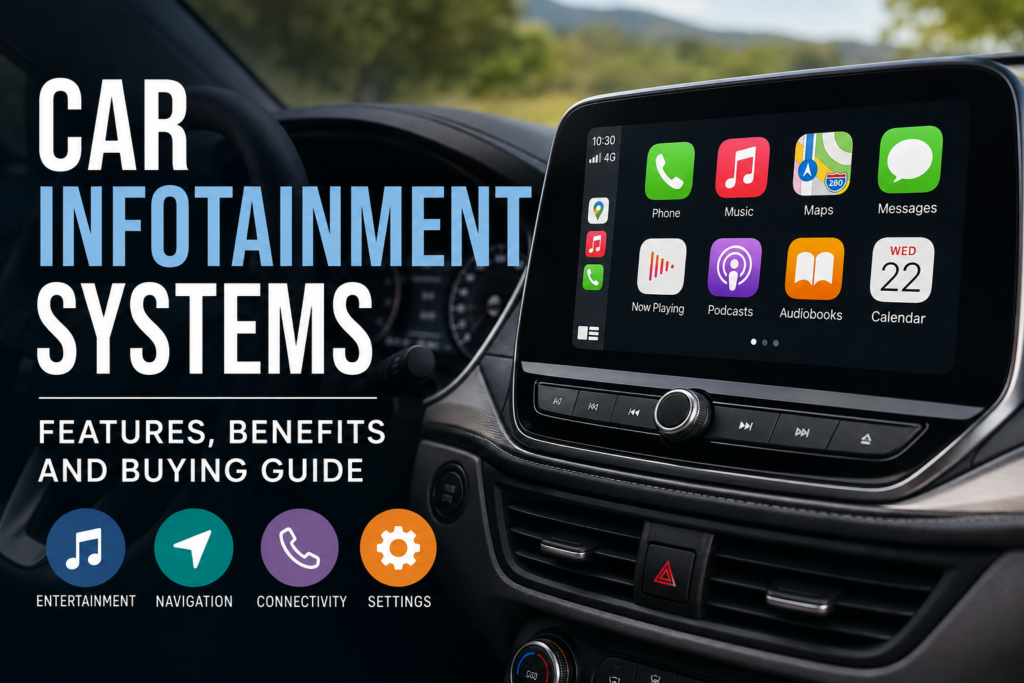
A car infotainment system is the central technology system inside a vehicle that combines entertainment, communication and useful driving information. It usually includes a touchscreen display, audio controls, navigation and smartphone connectivity.
Older vehicles normally had separate controls for the radio, CD player and other functions. Modern systems bring many of these features together in one interface.
Depending on the vehicle and system, you may get features such as Bluetooth, Apple CarPlay, Android Auto, GPS navigation, voice commands, USB connectivity, wireless charging and digital vehicle information.
From my point of view, the best infotainment system is not necessarily the one with the biggest screen. It is the one that is easy to use while driving and provides the features you actually need.
Important Features of Modern Car Infotainment Systems
Touchscreen Display
The touchscreen is one of the most noticeable parts of a modern car infotainment system. Screen sizes can range from relatively small displays to large screens that cover a significant portion of the dashboard.
A larger display can make navigation and menus easier to see, but size is not everything. I personally think screen responsiveness and a simple interface are more important than having an extremely large display.
A good touchscreen should respond quickly to commands and remain easy to read in different lighting conditions.
Apple CarPlay and Android Auto
Smartphone integration has become one of the most useful features in modern vehicles. Apple CarPlay allows compatible iPhones to connect with the vehicle, while Android Auto provides similar functionality for Android smartphones.
These systems can provide access to navigation, music, calls and selected messaging features through the car display.
For me, smartphone integration is one of the first things I would check when buying a new infotainment system. It can be more convenient than relying completely on the built in software.
Bluetooth Connectivity
Bluetooth allows drivers to connect smartphones and other compatible devices wirelessly. It can be used for hands free calls and wireless audio streaming.
This feature is particularly useful for people who regularly make calls while driving. A good Bluetooth connection should pair quickly and maintain a stable connection.
Hands free communication can also help reduce the need to handle a phone while driving, which makes the driving experience more convenient.
GPS Navigation
Built in GPS navigation is another common feature in modern car infotainment systems. It can provide directions, maps, estimated travel times and information about roads.
Some systems also offer traffic information and route suggestions.
However, I recommend checking how frequently the navigation maps are updated. An outdated navigation system may not accurately reflect new roads, closures or changes in traffic patterns.
Voice Control
Voice control allows drivers to perform certain tasks without touching the screen. Depending on the system, you may be able to make calls, change music, search for destinations or perform other commands using your voice.
I consider voice control especially useful when driving because it allows you to keep your attention on the road.
The quality of voice recognition can vary between systems, so it is worth testing this feature before making a purchase.
USB and Wireless Connectivity
USB ports are still useful for charging smartphones and connecting devices. Some newer infotainment systems also support wireless smartphone connectivity.
Wireless Apple CarPlay and Android Auto can make the cabin feel cleaner because you do not always need to connect a cable.
If you often travel with passengers, having multiple USB ports can also be a useful advantage.
Benefits of Car Infotainment Systems
Better Convenience
One of the biggest advantages of a modern infotainment system is convenience. Instead of using separate devices for navigation, music and phone calls, many functions can be controlled from one system.
This can make daily driving much more comfortable.
Improved Entertainment
Long journeys can become more enjoyable with access to music, podcasts, audiobooks and other compatible entertainment options.
With smartphone integration and Bluetooth, drivers and passengers can easily access their preferred audio content.
Of course, entertainment should never become a distraction while driving. The system should be used in a way that keeps attention focused on the road.
Easier Navigation
Navigation technology can help drivers find unfamiliar locations without constantly checking their phones.
A well designed infotainment system can provide clear directions directly on the dashboard screen. Some systems also provide information about traffic and alternative routes.
Hands Free Communication
Another important benefit is hands free communication. Drivers can answer calls through the vehicle’s speakers and microphone without holding their smartphones.
This makes communication more convenient and can help reduce unnecessary phone handling while driving.
Better Driving Experience
Modern infotainment systems can also display useful vehicle information. Depending on the car, the screen may show fuel economy, driving modes, tire information, parking camera views and other details.
When all these functions are presented clearly, the infotainment system becomes more than an entertainment device. It becomes an important part of the vehicle.
How to Choose the Right Car Infotainment System
If you are planning to buy a new or aftermarket infotainment system, I suggest focusing on practical features rather than choosing a system simply because it looks impressive.
Check Smartphone Compatibility
First, check whether the system supports your smartphone. If you use an iPhone, look for Apple CarPlay support. Android users should check for Android Auto compatibility.
Wireless support can be an additional advantage.
Consider Screen Quality
Do not judge a system only by screen size. Look at brightness, resolution, touch response and viewing angles.
A smaller screen with a fast and clear interface can sometimes be better than a huge screen with slow software.
Look at Audio Features
If music is important to you, check the audio capabilities of the system. Consider the number of speakers, sound controls, equalizer options and compatibility with your preferred audio services.
A good infotainment system should provide clear and reliable audio without making basic controls complicated.
Check Navigation Options
If you frequently travel to unfamiliar areas, navigation should be an important consideration.
Check whether maps can be updated easily and whether the system provides useful traffic information.
Think About Safety
Safety should always come before entertainment. A good infotainment system should have simple menus, steering wheel controls and voice commands where possible.
I believe drivers should avoid systems that require too much attention to operate. The easier the system is to control, the better it can fit into everyday driving.
Check Software Updates
Modern infotainment systems depend heavily on software. Updates can improve performance, fix problems and sometimes introduce new features.
Before buying, find out how software and map updates are provided. A system that receives regular updates can remain useful for a longer period.
Built In vs Aftermarket Infotainment Systems
When upgrading an older vehicle, you may have the option of installing an aftermarket infotainment system.
Built in systems are designed specifically for a particular vehicle and usually integrate well with steering wheel controls, cameras and other vehicle functions.
Aftermarket systems can offer more flexibility and may provide modern features that an older car does not have.
In my opinion, the right choice depends on your vehicle, budget and requirements. Before installing an aftermarket unit, make sure it is compatible with the car’s existing wiring, controls and safety features.
Common Mistakes to Avoid
One mistake people often make is buying an infotainment system based only on screen size. A large screen does not automatically mean a better system.
Another mistake is ignoring smartphone compatibility. If you regularly use your phone for navigation and music, this feature can make a major difference.
I also recommend checking the interface before purchasing. Try navigating through the menus and changing basic settings. If the system feels complicated when the vehicle is stationary, it may become even more frustrating while driving.
Finally, do not ignore installation quality. An excellent infotainment system can still cause problems if it is installed incorrectly.
Final Thoughts
A modern car infotainment system can significantly improve the driving experience by combining entertainment, communication, navigation and useful vehicle information in one place. Features such as Apple CarPlay, Android Auto, Bluetooth, GPS navigation, touchscreen controls and voice commands have become increasingly important for modern drivers.
When choosing an infotainment system, I believe practicality should always come first. Look for a system that is responsive, easy to understand, compatible with your smartphone and suitable for your vehicle.
You do not necessarily need the most expensive system or the biggest screen. What matters most is whether the system makes your daily driving more convenient without creating unnecessary distractions.
If you are buying a new car or upgrading an older vehicle, taking some time to compare car infotainment system features, connectivity options, audio quality, navigation and safety controls can help you make a much better decision. A well chosen system can provide useful technology today while also making your vehicle feel more modern and comfortable for years to come.